 Universal Office
Universal Write
A text editor compatible with .docx, delivered as the
<universal-write> web component. Canvas rendering with layout faithful
to the reference application, full editing, and lossless format round-trip.
This documentation is about the <universal-write> web component
— for embedding the editor in your own web app. If you just want the ready-to-run
desktop app, download Universal Office (Beta) instead — Universal Write, Sheet and Slides
in one install, no code required (more about the app), or
try the editor live in your browser:
Overview
<universal-write> is a Custom Element that renders and edits Word documents
directly in the browser. Unlike editors based on contenteditable, it
paints the document to a canvas using a custom layout engine (line
breaking, justification, pagination, and tables using real font metrics) — the result
is the same pagination and the same line breaks as the reference application.
All the code ships in a single package, @universal-office/write (its only
dependency is @universal-office/font-files, the open fonts), which internally
is organized into modules:
| Module | Role |
|---|---|
| Document core | Document model + OOXML parse/serialize. Lossless round-trip: parts not yet modeled are preserved byte for byte. |
| Layout engine | Absolute-position tree (pages → lines → glyph runs). |
Editor (<universal-write>) | The web component: its own caret, selection, IME, and clipboard. |
| Exporters | HTML, Markdown, PDF, XPS, and ODT. |
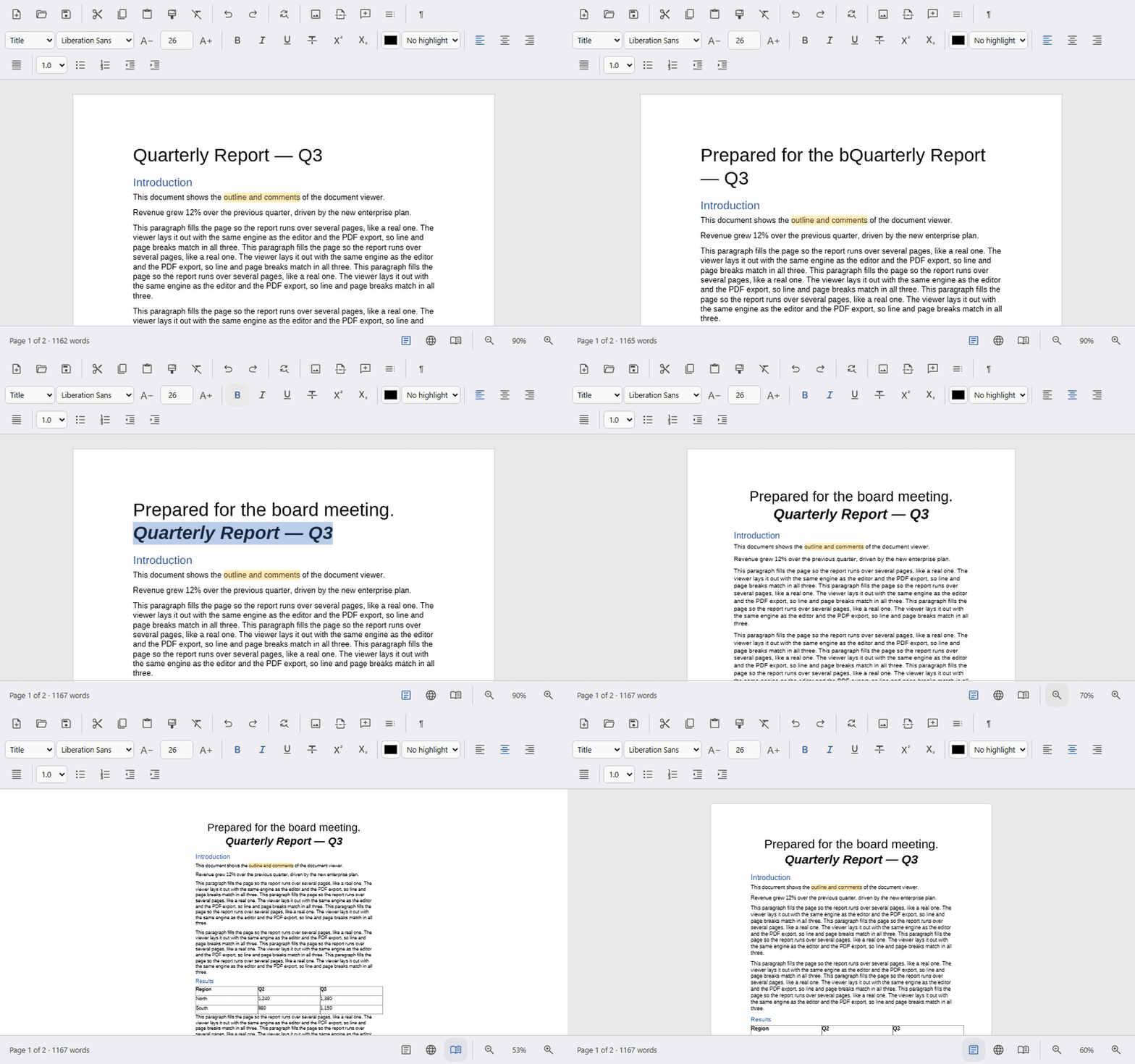
Two related components ship as their own packages:
<universal-document-viewer> (read-only viewer) and
<universal-write-diff> (document comparison).
The viewer is also inside this package, as a second entry that does not load the editor:
import '@universal-office/write/viewer'.
Install
<universal-write> is open source under the MIT license and is
published on npm:
npm install @universal-office/write
Serve the package's chunks/ folder (parts loaded on demand) next to
index.js, and the folder of the @universal-office/font-files package
(open fonts, including the required Liberation Sans), installed with it.
Then import the bundle so the custom element registers itself, and place the tag on the page:
import '@universal-office/write';<universal-write id="editor" fonts="/node_modules/@universal-office/font-files" src="/document.docx" topbar bottombar></universal-write>
Spell checking is optional: the Hunspell engine and the dictionaries are separate packages
(@universal-office/spellcheck, @universal-office/dictionary-pt-br,
@universal-office/dictionary-en-us, @universal-office/dictionary-es), downloaded only when used. With a bundler,
register them with registerSpellcheck(() => import('@universal-office/spellcheck'))
and registerDictionary('pt-BR', () => import('@universal-office/dictionary-pt-br'));
when the packages are served as static folders (<base>/spellcheck/,
<base>/dictionary-pt-br/…), set spellcheck-url="<base>".
Without them the editor does not check spelling. Text whose language the document doesn't say is checked
in spellcheck-default-lang (pt-BR by default).
Observed attributes:
| Attribute | Description |
|---|---|
src | URL of a .docx to load automatically when connected to the DOM. |
fonts | Folder with the font files — the @universal-office/font-files package. Liberation Sans (liberationsans-regular.ttf, -bold, -italic, -bolditalic) is required; the other open fonts are metric-compatible substitutes for Calibri, Cambria, Arial, Times New Roman and Courier New. Aptos and Calibri files are used if you add them. |
topbar | Built-in top bar: the document title above the menus and one toolbar row (toolbar="ribbon" for Word-style tabs). |
bottombar | Built-in status bar: page and word count, view buttons, zoom. |
spellcheck-url | Folder with the spell checking packages, one subfolder each: spellcheck/index.js and dictionary-<language>/index.js. spellcheck-languages lists the dictionaries present (default: all published — pt-BR, en-US, es). |
spellcheck-default-lang | Language of text whose language the document doesn't say (no w:lang on the run, its styles or the document defaults), e.g. the host app's UI language. A new document (newDocument()) is also created in it. Default: pt-BR. Also the spellcheckDefaultLang property. |
lang | UI language of the bars and popups: en, pt or es (any region: es-MX, es-419… → Spanish). Without it: the first of Spanish/Portuguese/English the browser prefers, otherwise English. |
layout | legacy uses the previous canvas layout instead of the Word-fidelity engine (the editor also falls back to it on its own if the engine fails on a document). |
manual-init | If present, the component does not initialize on its own — it waits for a call to initialize(). Use this to run fully offline, with no backend. |
The element sizes itself to its container: give it a size via CSS
(for example universal-write { flex: 1; } in a column layout).
Load documents
Besides the src attribute, load(bytes, format?, opts?) loads
bytes directly. format defaults to 'auto', which detects
.docx vs .odt from the bytes:
const editor = document.getElementById('editor');

// format 'auto' (default) — detects .docx or .odt
const resp = await fetch('/contract.docx');
editor.load(new Uint8Array(await resp.arrayBuffer()), 'auto', { protected: false });

// or force a format
editor.load(odtBytes, 'odt');

// Empty, editable document
editor.newDocument();
Protected View: documents opened with protected: true
are read-only until enableEditing() is called. The
uw-protected event fires when the mode changes — use it to show the
"Enable Editing" bar in your app.
Save and export
A single save(format?, opts?) covers every output. format
defaults to 'auto' — the format the document was loaded as. It always
returns a Promise; binary formats resolve to a Uint8Array,
html/markdown to a string.
// 'auto' (default) → the loaded format (.docx or .odt)
const bytes = await editor.save();

// explicit formats
const docx = await editor.save('docx');
const odt  = await editor.save('odt');
const pdf  = await editor.save('pdf');
const xps  = await editor.save('xps');
const html = await editor.save('html', { title: 'My document' });
const md   = await editor.save('markdown', { images: false }); // omit images

// Native printing (browser dialog with pages in Print mode)
editor.print();
To download the bytes in the browser:
function download(data, filename, type) {
  const url = URL.createObjectURL(new Blob([data], { type }));
  const a = Object.assign(document.createElement('a'), { href: url, download: filename });
  a.click();
  URL.revokeObjectURL(url);
}

download(await editor.save('docx'), 'document.docx',
  'application/vnd.openxmlformats-officedocument.wordprocessingml.document');
Manual initialization (offline, no backend)
With manual-init, you provide the fonts and the document as bytes —
the component makes no network request:
<universal-write id="editor" manual-init></universal-write>await editor.initialize({
fonts: [
// Liberation Sans is required (the default font and last-resort substitute)
{ family: 'Liberation Sans', variant: 'regular', data: regular },
{ family: 'Liberation Sans', variant: 'bold', data: bold },
{ family: 'Liberation Sans', variant: 'italic', data: italic },
{ family: 'Liberation Sans', variant: 'boldItalic', data: boldItalic },
],
document: { bytes: docxBytes, format: 'docx', protected: false },
});Accepted types:
interface UniversalWriteInitializeOptions {
  fonts?: readonly UniversalWriteFontAsset[];
  document?: UniversalWriteDocumentSource;
}

interface UniversalWriteFontAsset {
  family: string;
  variant: 'regular' | 'bold' | 'italic' | 'boldItalic';
  data: Uint8Array | ArrayBuffer;
  advances?: Record<string, Record<string, number>>;
}

interface UniversalWriteDocumentSource {
  bytes: Uint8Array;
  format?: 'docx' | 'odt';
  protected?: boolean;
}
Full example
<body style="margin:0; height:100vh; display:flex; flex-direction:column">
  <header>
    <button id="undo">Undo</button>
    <button id="redo">Redo</button>
  </header>
  <universal-write id="editor" fonts="/fonts" style="flex:1; min-width:0"></universal-write>
  <footer id="status"></footer>
</body>
import '@universal-office/write';
const editor = document.getElementById('editor');
editor.addEventListener('uw-ready', async () => {
try {
const resp = await fetch('/samples/catalog.docx');
if (resp.ok) editor.load(new Uint8Array(await resp.arrayBuffer()), 'auto');
else editor.newDocument();
} catch {
editor.newDocument();
}
editor.focusEditor();
});
editor.addEventListener('uw-change', () => {
const st = editor.stats();
document.getElementById('status').textContent =
`Page ${st.page} of ${st.pages} · ${st.words} words`;
});
document.getElementById('undo').onclick = () => editor.undo();
document.getElementById('redo').onclick = () => editor.redo();